Alexa’s Yellow Light: What It Means and How to Manage Echo Alerts
An Engadget explainer describes the Echo light ring’s yellow notification state, how to hear pending messages, and where to tune alerts in the Alexa app.

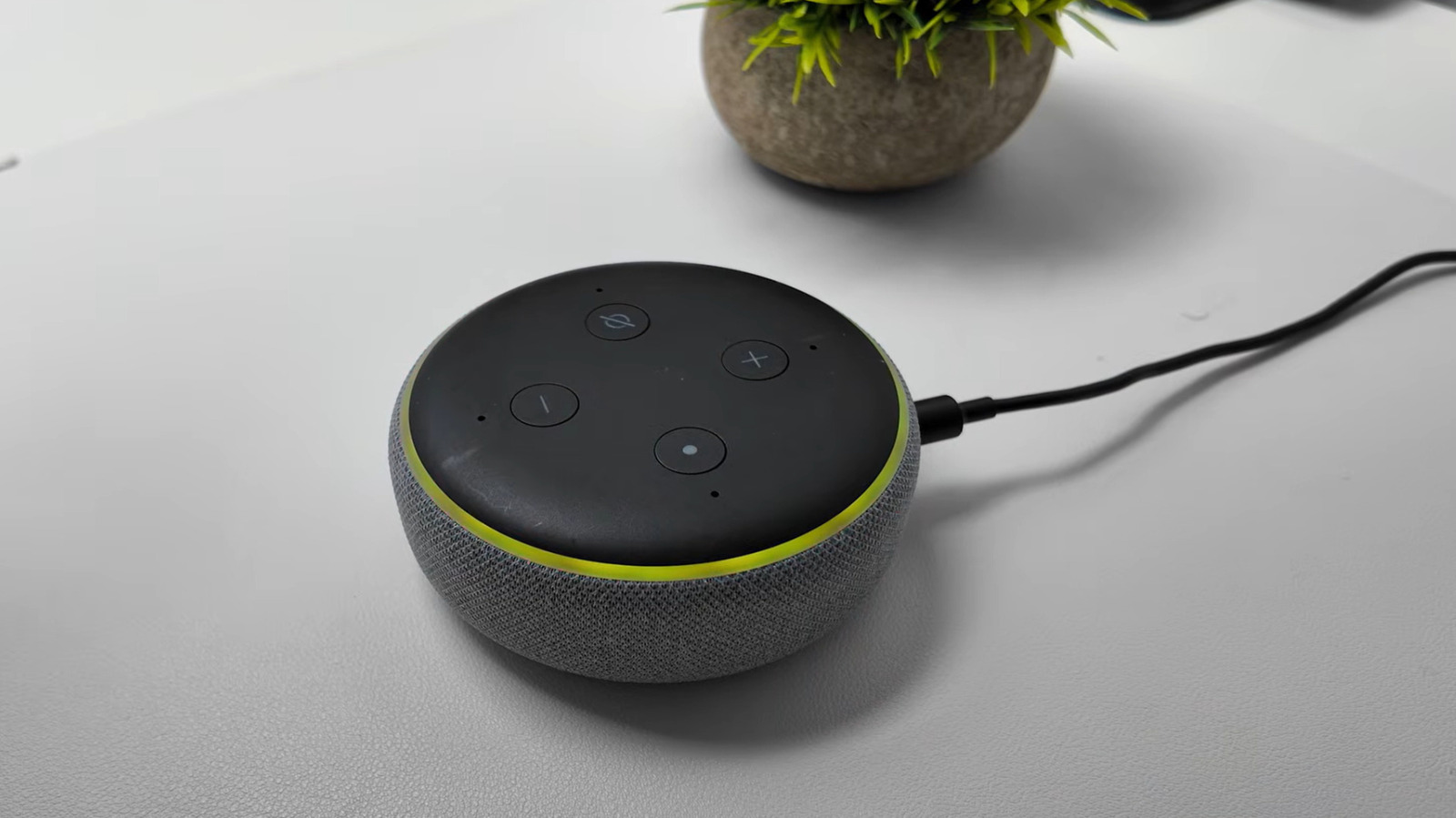
Amazon Echo owners who see a slow yellow pulse may be looking at a notification rather than a fault. Engadget’s explainer describes the yellow ring as a cue that Alexa has a message or notification waiting, with the light appearing in short bursts every few seconds. The guide treats it as a routine status indicator, not a sign of damage.
The notification system dates to 2017, according to Engadget. The guide says it can surface breaking news, calendar reminders, shipping updates, and price-drop alerts from Alexa for Shopping. That makes the light ring part of the device’s alert system rather than only a voice-interaction cue.
To clear the yellow state, users can ask Alexa about pending items. Engadget gives examples including “What notifications do I have?” and “What messages do I have?” The assistant then reads the relevant list, and users can move through items with commands such as “next” or “repeat.” This is the first practical step: the source frames the yellow light as something to check and dismiss, not troubleshoot as a hardware problem.
Alert controls sit in the Alexa app. Engadget’s path is More > Settings > Notifications, where users can switch notifications on or off for features, services, and apps. Reminder alerts have separate controls. If a missed reminder is behind the yellow ring, users can ask “What are my reminders?” and then dismiss, snooze, turn off, or reschedule it. In the app, the guide points to Notifications and then Reminders on this Device for a notification toggle.
Skills can also generate alerts. Engadget directs users to More > Skills & Games > Your Skills > Settings > Manage Account Permissions, where notifications can be toggled and permissions saved. For connected cameras and doorbells, the guide lists Devices > [connected camera] > Device Settings, with toggles for person or package detection announcements.
The yellow state is one of several light-ring signals. Engadget lists cyan for listening, processing, or software updates; teal-blue when Alexa is waiting for a command; spinning blue during startup or restart; red when the microphone is off or, on camera models, when video will not be shared; orange during setup or internet connection; pulsing green for incoming calls and Drop In; brief purple for Do Not Disturb or, during setup, Wi-Fi trouble; and white for volume.
The daily-use value is control over interruptions. Someone who relies on reminders and shopping alerts may want those enabled, while a household with several connected cameras may want detection announcements managed separately. The source does not compare Echo models, test notification reliability, or recommend upgrades, so it should not be read as buying advice. Its useful contribution is a map of the yellow notification state and the settings that govern it. Menu labels and paths are as reported by Engadget and may vary by app version.
Sources and further reading
See an error? Read our corrections policy or email [email protected].