Hardware Utilities: Activating the Hidden USB Standby Power Mode
Most desktop computers possess USB ports capable of charging devices, but manufacturers often disable this functionality by default. Activating these "Always On" ports requires navigating BIOS settings to bypass energy-saving protocols.

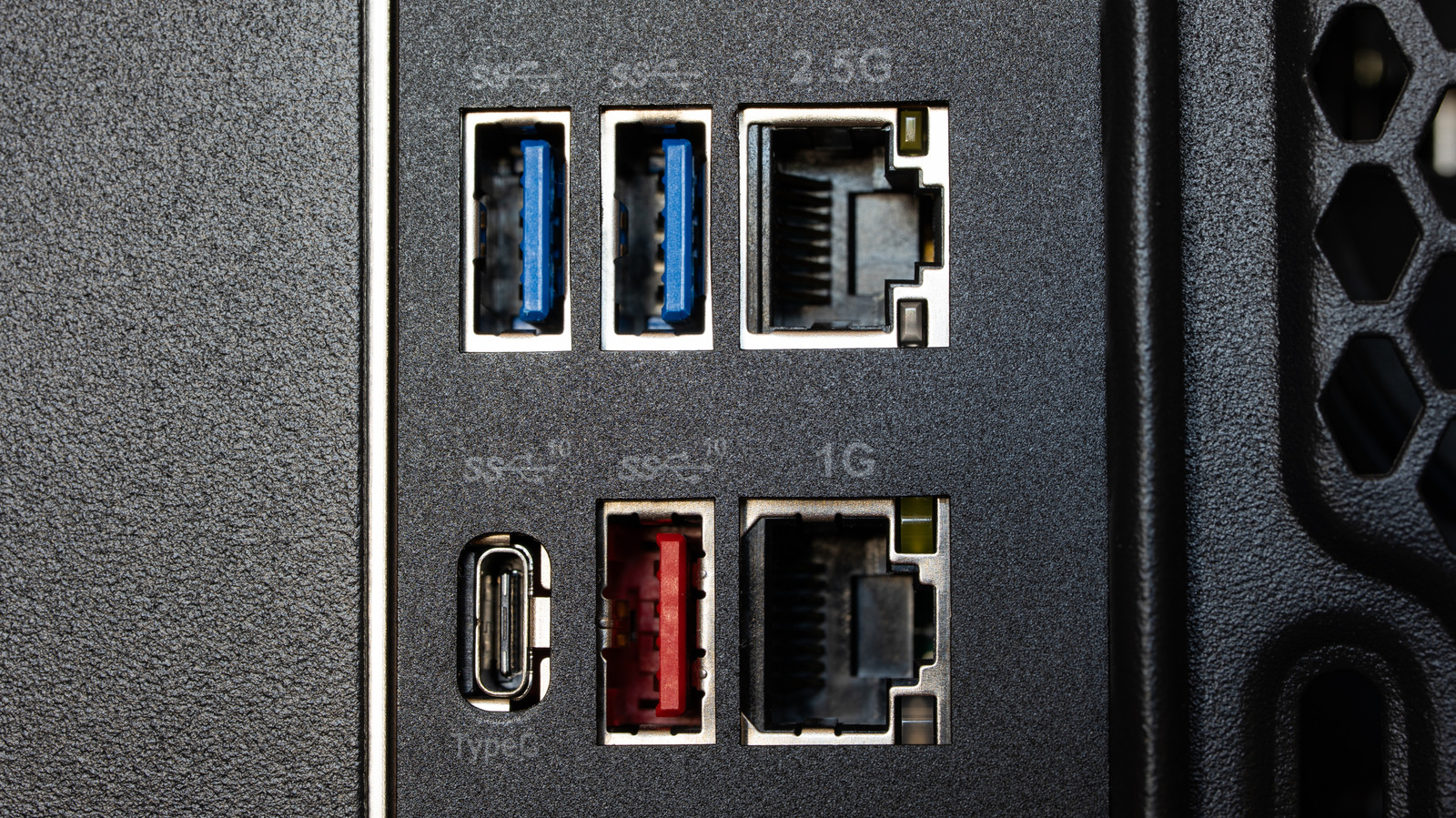
Standard desktop computers generally possess USB ports capable of delivering the necessary amperage to charge mobile devices. However, manufacturers frequently describe this function under varying labels like "Always On" (Lenovo), "PowerShare" (Dell), or through iconography such as battery or lightning-bolt indicators printed directly on the chassis. These ports supply power when the computer is off, but enabled settings differ by vendor and configuration.
Verification requires physical testing. Users plug a device into a USB port and initiate a shutdown to confirm if power persists. If the device stops receiving energy, the feature is likely disabled, usually residing within energy-saving configurations rather than a simple on/off switch.
Activation requires the Basic Input/Output System (BIOS) or Unified Extensible Firmware Interface (UEFI). The process involves restarting the system and pressing BIOS entry keys, specifically F2, Del, or F10. Within the menu, navigate to sections labeled "Advanced," "Power," or "Chipset." Here, the user must look for specific options titled "USB power delivery" or "Always On charging" and enable them.
Prioritize disabling energy-saving programs that conflict with standby power. Options such as "ErP Ready" or "Deep Sleep" are known to interrupt the charging process; for instance, ErP Ready is required to disable power on select ASUS NUC models. Users should consult their chassis manual to identify the relevant markings before altering firmware settings to avoid unintended power loss.
It is crucial to distinguish between power availability and active data transfer. Charging while the PC is off does not facilitate file transfers or photo synchronization. Furthermore, the "Always On" terminology refers strictly to the persistence of electrical voltage, not the exclusive operation of the charging mechanism. Behavior may vary across states of operation, specifically regarding hibernation or sleep cycles.
Laptop hardware operates under separate constraints. Reservations on battery capacity and AC adapter dependency mean the same troubleshooting methods do not apply to portable devices. Furthermore, port functionality may vary physically within the same system; some motherboard locations support power delivery while others do not. Using unreliable cables or incompatible systems will result in the feature failing to operate regardless of BIOS setting status.
Sources and further reading
See an error? Read our corrections policy or email [email protected].