Seagate FireCuda Forge review: tiered HDD-SSD speed for bursty workflows
TechRadar Pro found the FireCuda Forge can behave like a large SSD for offloads and smaller edits, but its 1TB cache ceiling and missing SSD keep it from replacing sustained SSD storage.

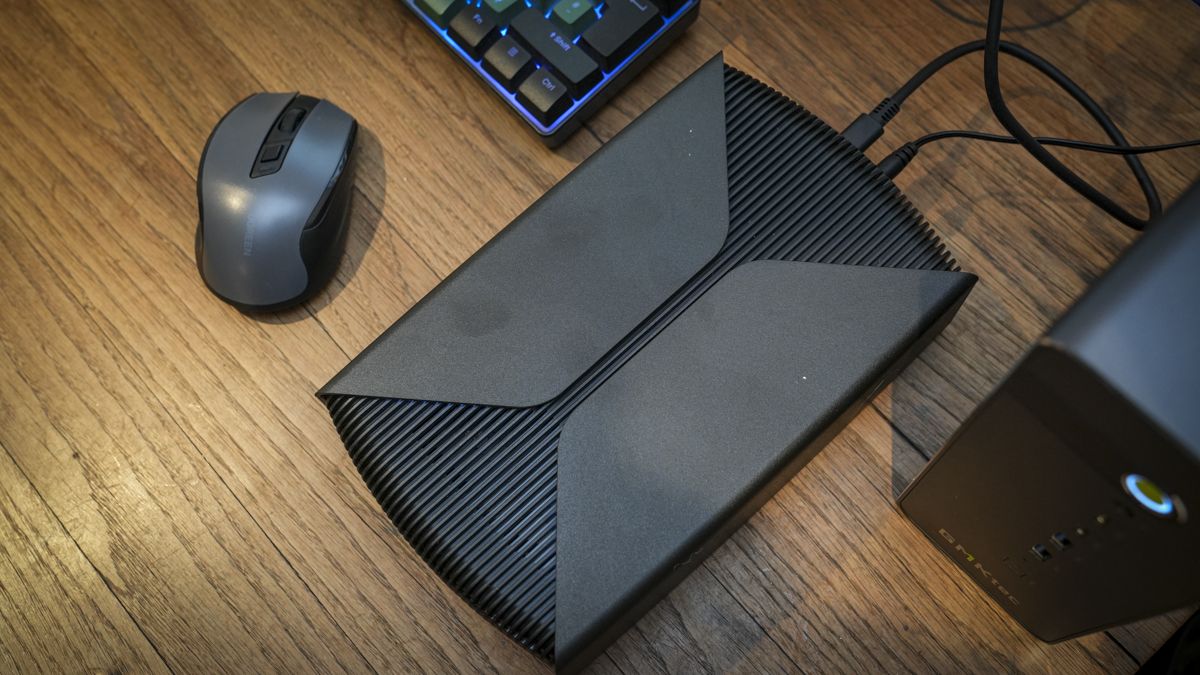
TechRadar Pro has tested the Seagate FireCuda Forge, an external desktop drive that pairs a 3.5-inch hard disk with a user-installed M.2 NVMe SSD. Seagate's Alkemi tiering software presents the two devices as one volume, moving frequently used data to the SSD while leaving colder files on the HDD. The result is a high-capacity drive with SSD-like burst performance—but only within limits the review makes clear.
What is confirmed
The Forge comes in 8TB and 20TB HDD capacities. It uses USB4, requires an external AC adapter, and is listed for Windows 11 and macOS 26 or later. The HDD arrives pre-formatted as NTFS, so Mac users must reformat for normal read-write access. The SSD is not included: buyers must fit an M.2 2280 NVMe drive, PCIe Gen3 or newer, with Seagate officially supporting up to 1TB and recommending DRAM cache. In testing, TechRadar Pro installed a 2TB PCIe 5.0 SSD and found it worked despite the stated 1TB limit. The unit's HDD is also replaceable later.
Performance in daily use
The meaningful gain is burst speed. TechRadar Pro recorded CrystalDiskMark sequential figures around 2,248MB/s read and 1,727MB/s write, with AS SSD sequential write at about 1,380MB/s. More useful for buyers, a roughly 1TB CFexpress offload took about 12 minutes, versus about 1 hour 20 minutes on a standard HDD in the reviewer's comparison. Small to medium video projects edited smoothly, and the drive behaved much like a large SSD for those tasks.
That impression has boundaries. When the reviewer transferred 4TB from a fast external SSD, the initial speed was high but later slowed. Switching between large Premiere Pro projects also exposed the cache ceiling: clips not yet promoted to the SSD caused brief delays before speed recovered. The drive remained faster than a traditional HDD in those cases, according to the review, but it did not sustain SSD-like throughput across every workload.
Other uses were mixed. Storing Steam game files was feasible, but load times were longer than with a local SSD. Keeping local LLM models on the Forge was convenient because of the capacity, though model loading was slower. Those results fit the tiered design: the Forge is strongest when data is being moved quickly or when a working set fits within the SSD tier, not when every access must come from flash.
Who should consider it
Photographers and videographers who routinely dump fast memory cards or SSDs after shoots are the clearest fit. The same applies to editors whose active projects sit near or below the SSD capacity and who want more room than a small external SSD provides. Users with a spare 1TB DRAM-equipped NVMe drive may also find the bring-your-own-SSD setup sensible.
It is less compelling for buyers who need consistent multi-terabyte write performance, the fastest possible game or model loading, or simple plug-and-play operation. The need to supply an SSD, use a power brick, and reformat for macOS adds friction that a standard external drive avoids.
Price remains the open question
TechRadar Pro said official pricing had not been announced at review time. It expected around £900 for the 20TB model, plus roughly £100 for a 1TB SSD, while noting that Seagate's own 20TB Expansion desktop drive was around £300 at the time. On that basis, the Forge is a specialist tool: it can compress backup and editing time for fast-media workflows, but the final price will decide whether the gain justifies the premium over a plain high-capacity HDD.
The editorial interpretation is that the Forge's improvement is real but workload-specific. It is best understood as a high-capacity drive with a fast front stage, not as a full replacement for sustained SSD storage.
Sources and further reading
See an error? Read our corrections policy or email [email protected].