What the Android VPN Key Icon Indicates and How to Toggle It
An editorial on interpreting the status bar's security symbols and the limitations of customizing the VPN indicator on different Android hardware.

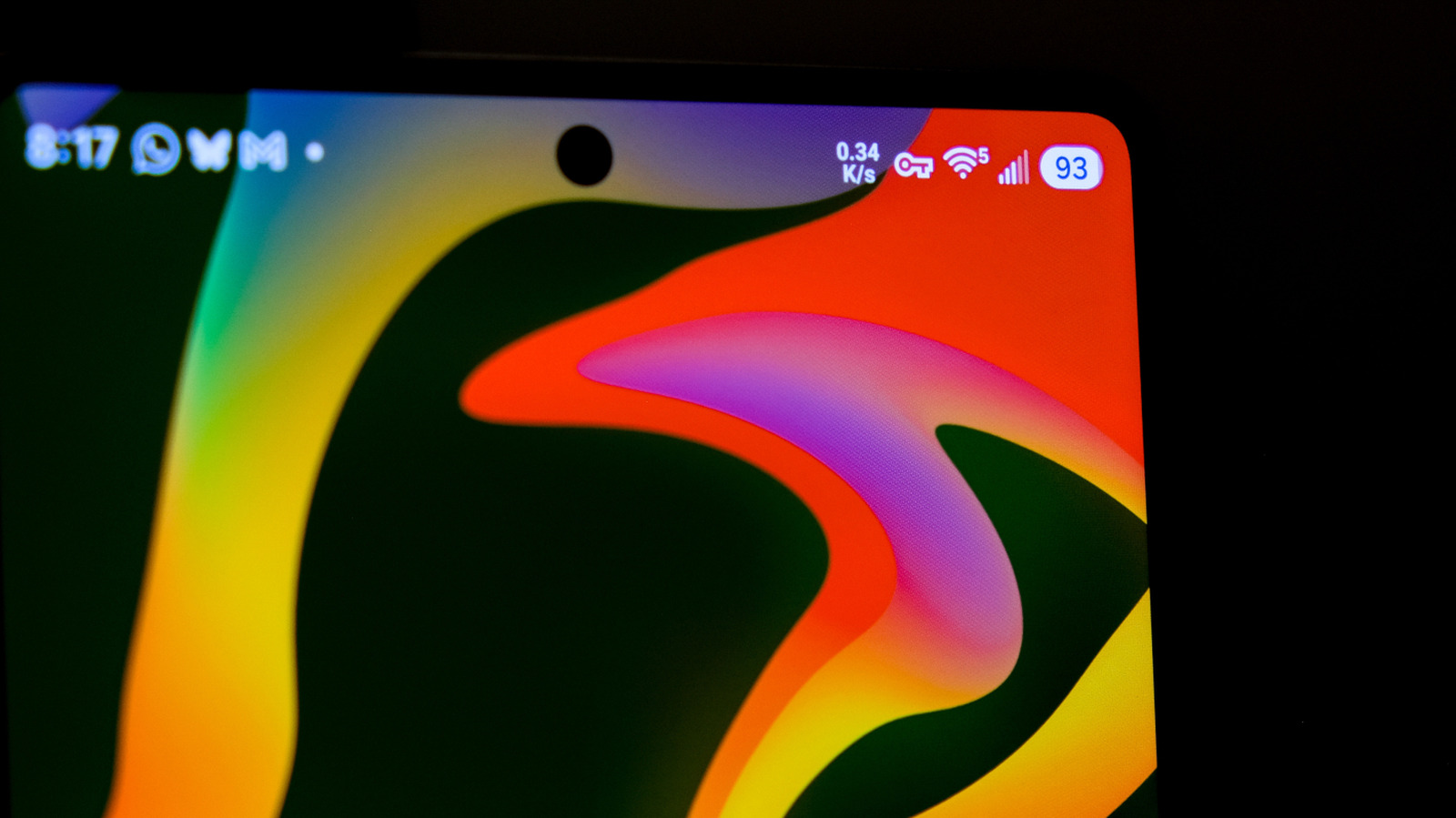
The Android status bar aims to provide critical device information at a glance, but the density of its icons can create visual clutter. One of the more distinct symbols on compatible devices is a leftward-facing key accompanied by two opposing teeth. This icon serves as a concrete security notification rather than a signal of damage or error.
The marker specifically denotes that a Virtual Private Network (VPN) is actively encrypting the device's web traffic. Modern Android versions allow for system-level VPN management, and this graphical element provides immediate feedback that the user’s connection is shielded from interceptors. While the presence of the key indicates a functioning security layer, its absence suggests a potential disconnect in the encryption protocol, alerting the user to a vulnerability.
For the majority of Android users outside of the Samsung ecosystem, aesthetic customization of this status bar feature is not natively supported. Manufacturers of stock Android devices, such as Pixel, do not include a built-in setting to toggle the VPN icon. Samsung Galaxy owners retain the exception to this limitation. To alter the display, a user must install the Good Lock suite from the Galaxy Store and navigate to the QuickStar module to toggle the visibility of the key and associated icons.
The only method to permanently remove the indicator from any device is to deactivate the active VPN. If a third-party application manages the connection, the process involves opening the specific app and shutting down the service. On standard Android interfaces like Pixel, this can be accomplished via the Quick Settings pane. Users can swipe down to access the panel, identify the profile icon at the base, and tap the number corresponding to running background processes to stop the VPN. Alternatively, manual network settings provide the same administrative controls.
The utility of a VPN rests on several specific capabilities. The technology obscures the device's IP address, thereby preventing Internet Service Providers or external observers on unsecured Wi-Fi networks from inspecting online activity. However, independent verification notes that a VPN does not constitute a complete solution for anonymity. Tracking mechanisms such as browser cookies and device fingerprinting, alongside persistent account login on platforms like Google and Facebook, allow for continued user identification even when the VPN is operational. For these reasons, VPNs are frequently utilized to simulate geographic locations for accessing region-locked streaming media. Users should be aware, however, that consistent VPN usage can lead to browser-based suspicion, manifesting as increased CAPTCHA requirements or temporary failures to load websites.
Sources and further reading
See an error? Read our corrections policy or email [email protected].