What the Battery Icon Next to a USB Port Actually Means
A small battery symbol beside a USB port usually signals USB Power Delivery, but not all manufacturers follow the official labeling—so check your manual if you're unsure.

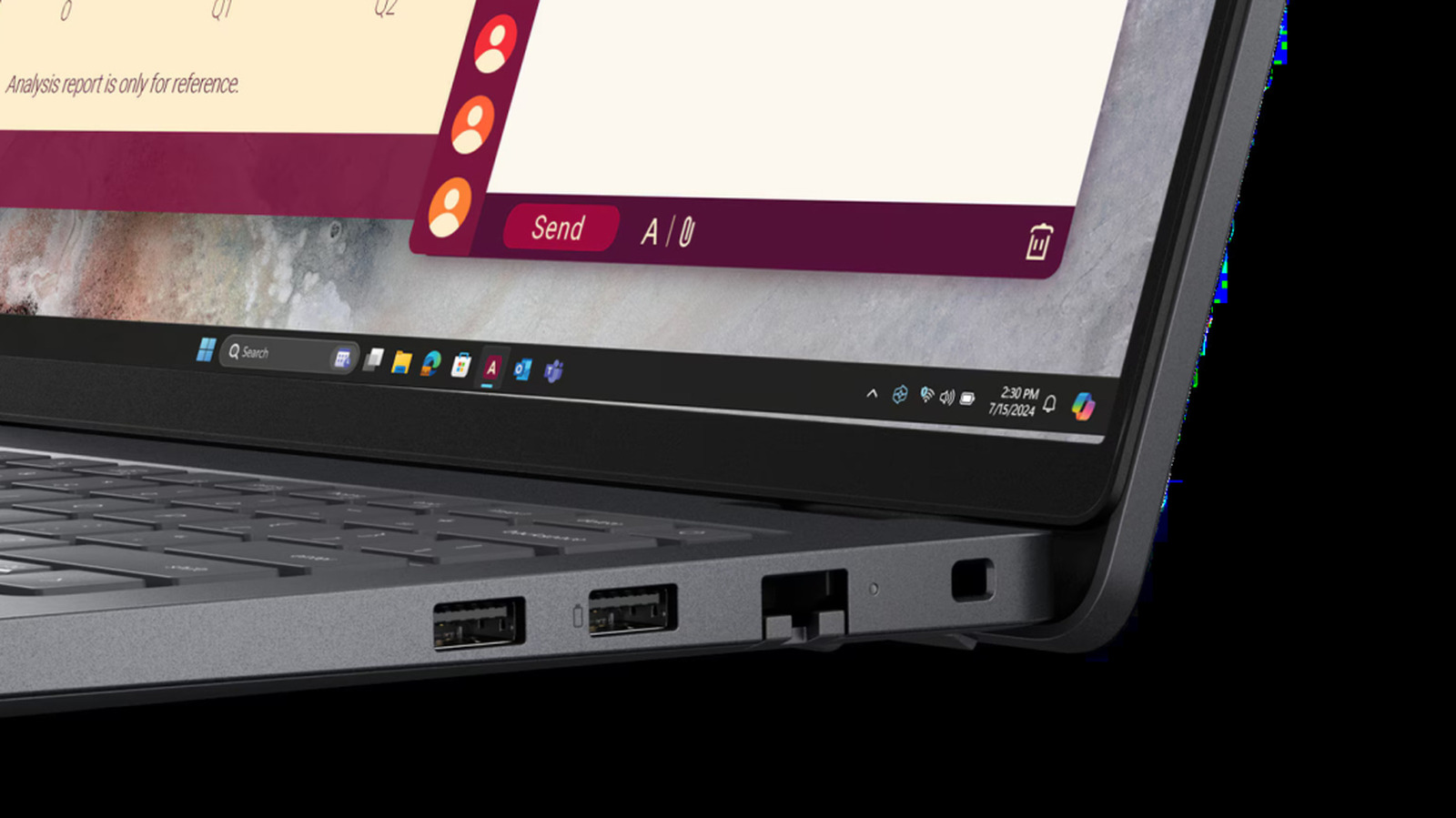
If you've ever noticed a tiny battery icon next to a USB port on your laptop or device, you might have wondered what it indicates. According to Engadget, that symbol typically means the port supports USB Power Delivery (USB PD), a charging protocol that can deliver higher power levels than a standard USB port and also charge connected devices.
USB PD was first introduced in 2012, before USB-C made its debut, but it was updated in 2021 to support up to 240W of power. That means it can handle more demanding devices like high-end laptops or some monitors. The protocol uses an intelligent digital handshake between device and charger to provide the right amount of voltage and current without risking overheating, which can result in faster charging for compatible laptops.
The battery icon can also signal bidirectional charging. On a laptop, a USB port with this symbol can be used to charge another device, such as a smartphone or wireless earbuds. Some laptops even support "Always On" charging, which allows the port to supply power even when the laptop is asleep or shut down. However, Engadget warns that leaving a phone plugged into such a port can completely drain the laptop's battery—though most manufacturers include a way to disable this feature.
Despite the battery icon's usefulness, USB PD has an identity crisis when it comes to labeling. The USB Implementers Forum (USB-IF), the nonprofit that created and sets official USB standards, defines the official symbol as a battery shape made with negative space. Members of USB-IF include Apple, Microsoft, and HP, but not all companies follow the same convention. You might see the official battery symbol, a different battery logo, a lightning bolt (not to be confused with the Thunderbolt symbol), or even the letters "PD" to indicate a USB PD port. Some companies, like Apple with its Thunderbolt ports on MacBooks, may have USB PD-compatible ports that don't carry any special marking at all.
Given this inconsistency, the safest approach is to check the manufacturer's specifications in your user manual if you're unsure whether a port supports USB PD. The battery icon is a helpful hint, but it's not a universal guarantee.
For everyday use, the practical benefits of USB PD are faster charging for laptops and the ability to top up smaller gadgets from your laptop. If you frequently need to charge multiple devices or want to power a high-end laptop quickly, a USB PD port can make a noticeable difference. But if your current devices charge adequately with standard USB ports, upgrading solely for this feature may not be necessary—especially since labeling varies and you might already have a compatible port without realizing it. As always, consult your device's documentation to confirm its capabilities.
Sources and further reading
See an error? Read our corrections policy or email [email protected].