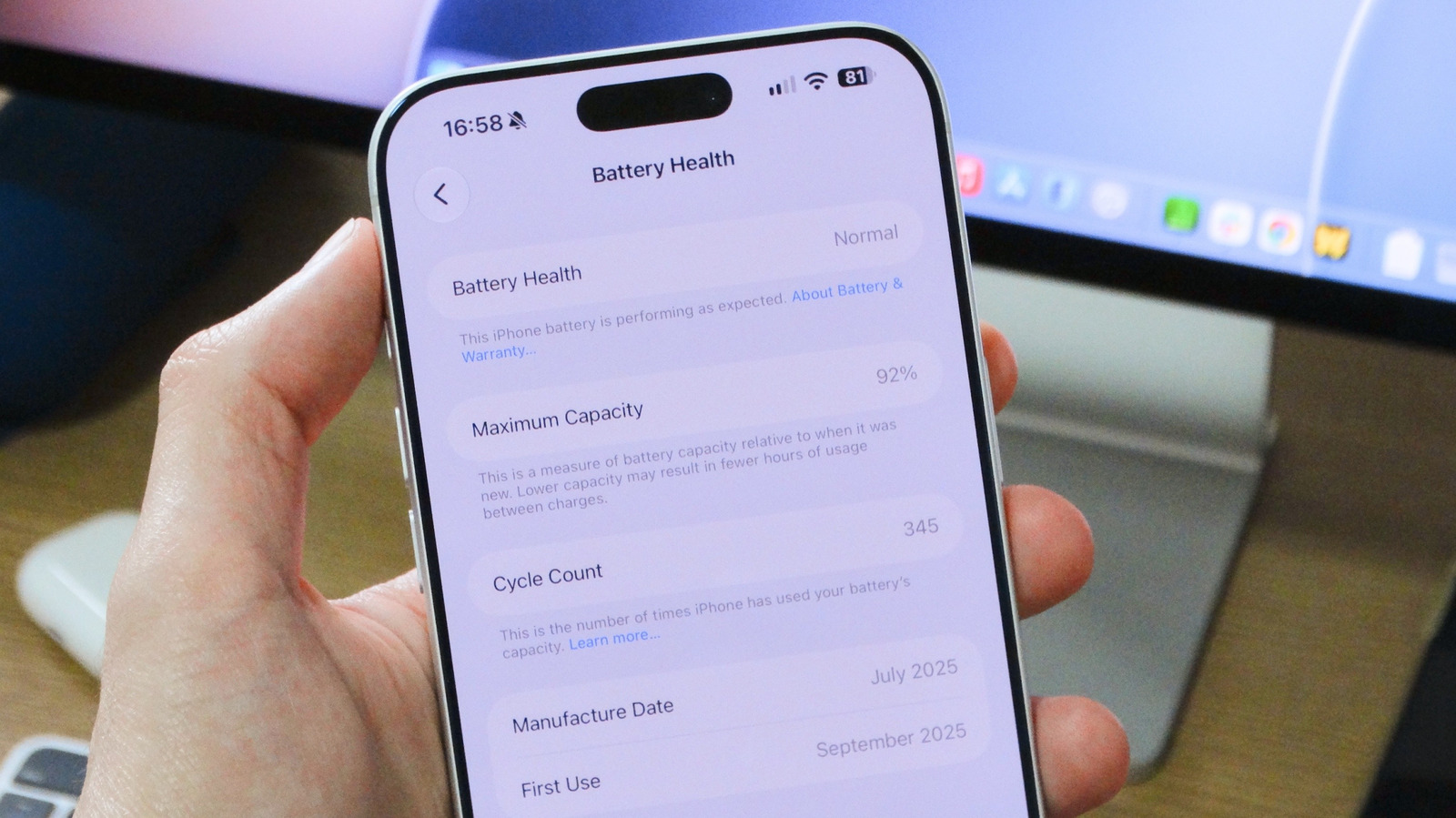
When an iPhone is new, its battery performs at full capacity. However, all rechargeable batteries are consumable parts that chemically degrade over time, holding less charge and shortening daily use. Apple provides built-in tools to monitor this process, which is useful both for deciding when to replace a battery and for evaluating a used iPhone before purchase. Engadget's guide explains how to access and interpret these readings.
To check battery status, open the Settings app, tap Battery, and enter the Battery Health section. On some older models, such as the iPhone 13, the section is labeled Battery Health & Charging. The screen shows Maximum Capacity, an estimate of the battery's current full charge compared with when it was new. Apple states that under normal conditions a typical battery retains up to 80 percent of its original capacity. For iPhone 15 and later, this expectation is based on 1,000 complete charge cycles; older iPhones are rated for 500 cycles.
If Maximum Capacity drops below 80 percent, the phone continues to operate but users are likely to notice significantly shorter battery life. In some cases iOS activates performance management features to prevent unexpected shutdowns on a severely degraded battery. When this occurs, a warning appears under Peak Performance Capability. Without a warning, the device is running at full performance.
To help preserve battery health, iOS includes Optimized Battery Charging. This feature learns a person's daily charging routine and pauses charging at 80 percent, waiting to complete the remaining 20 percent until just before the phone is needed again. On iPhone 15 and newer, users can also set a maximum charge limit below 100 percent to reduce long-term wear.
Cycle count is available directly in Settings on iPhone 15 and later: go to Battery > Battery Health and scroll down. Apple does not provide this metric natively on older models, so Engadget suggests third-party software such as coconutBattery for Mac. A cycle represents expending 100 percent of the battery's current capacity, but not necessarily all at once. For example, using 50 percent, recharging fully, then using another 50 percent counts as one complete cycle.
Apple's ratings cited in the article indicate that iPhone 15 and newer models are designed to maintain good battery health for up to 1,000 cycles, which Engadget equates to roughly two to three years of typical use. Older models are rated for 500 cycles. Hitting these numbers does not guarantee immediate battery failure, but capacity will usually be lower and battery life shortened. Engadget recommends considering a battery replacement when health falls below 80 percent or cycle count reaches 1,000, and advises contacting Apple Support to arrange service.
See an error? Read our corrections policy or email [email protected].