Amazon's About You Page: How to See and Edit What the Retailer Thinks It Knows
Amazon's About You page collects oddly specific details about shoppers, and it's easy to review or edit them — though changes don't remove you from personalization.

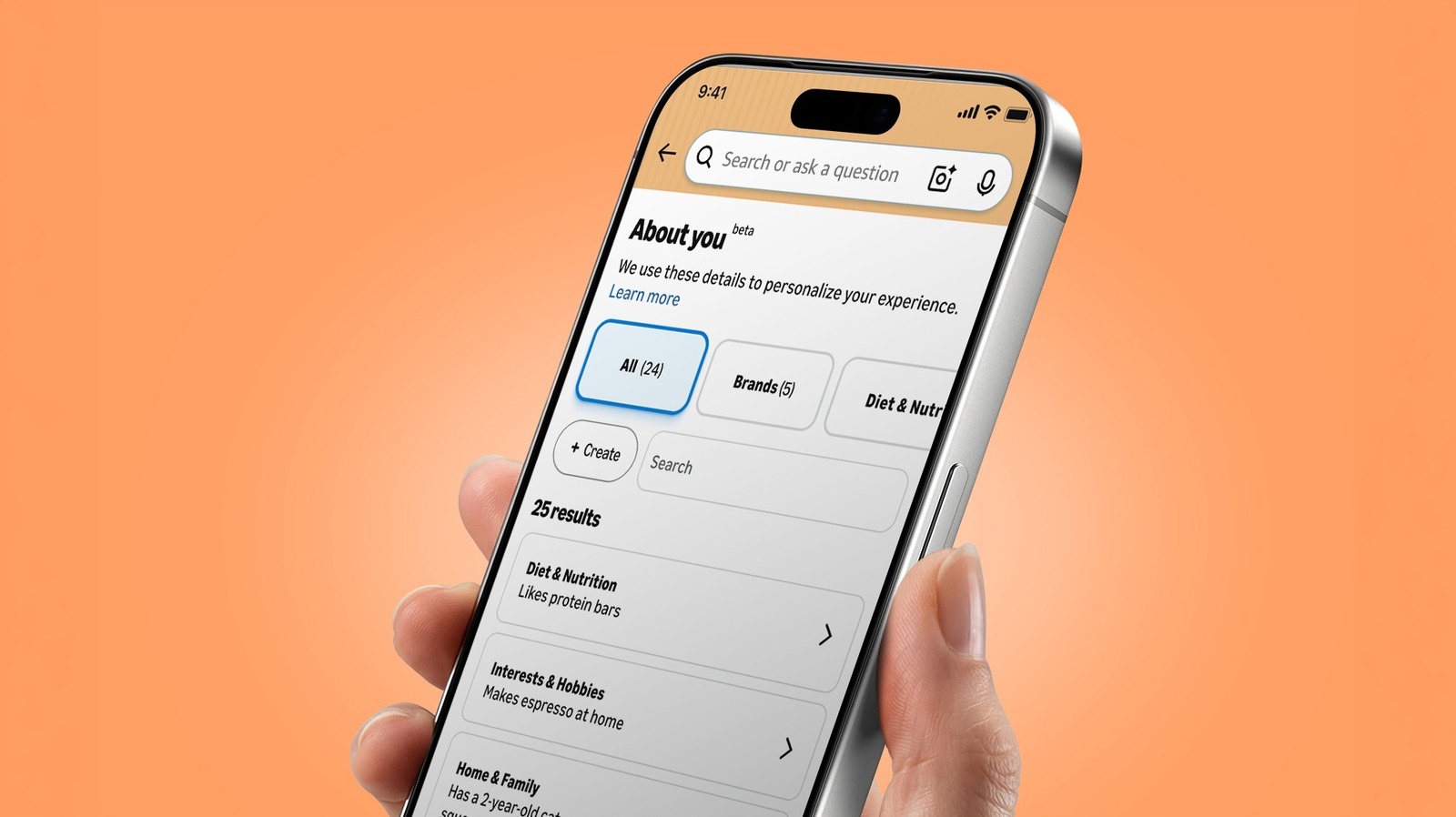
What Amazon's About You page shows
Amazon maintains a page called About You that presents the personalization details it has attached to a shopper's account. According to Engadget, the feature launched in May, while the underlying personalization has existed for a longer period. The page has drawn attention because some entries are unusually specific.
Engadget reports examples surfaced by users: one Threads user shared a screenshot showing the page said she "has flat buttocks." A Reddit commenter said the page described "mismatched trash bins," and another listed three observations — having a mother, owning a tiny funnel, and receiving packages from Amazon. Those items are anecdotal, not a systematic audit of how Amazon builds these details.
How to find the page
The route depends on the device. In Amazon's mobile app, open the Me tab via the person icon at the bottom, tap your name, and select About You. On the web, go to Account & Lists, then Account, and choose About You under the "Ordering and shopping preferences" section.
Alexa for Shopping can also surface the information. Asking "What do you know about me?" returns several preferences plus a link to the full About You page, per Engadget's instructions.
Editing or removing details
Selecting an individual observation opens a pop-up where the detail can be removed or updated. The same interface includes a text box for feedback or additional information. This is where users can correct or delete entries they find inaccurate or unsettling.
Users can also add information. A + Create button at the top left of the page lets shoppers supply details about their style, hobbies, interests, or who they shop for, including family or pets, as Amazon describes it. There is an option to import information from other AI assistants, but it works through copy-and-paste rather than a direct service connection.
What editing does not do
Engadget notes two limits. Editing or removing a detail does not opt a shopper out of personalized shopping; it only instructs Amazon not to use that specific detail for personalization. Also, removing an observation should not be treated as deleting the purchase, review, search query, or conversation that produced it.
Why the page matters
The About You page is a rare window into how a major retailer assembles personalization signals. The examples circulating online suggest those signals can be oddly specific and occasionally inaccurate. Reviewing the page is a reasonable first step for anyone curious about what Amazon believes about them.
The practical takeaway: the page offers direct controls for correcting or removing individual observations, but it is not a privacy switch that disables personalization or erases the underlying activity. Users who want to change what Amazon uses for recommendations can do so item by item, while understanding that the source data remains.
Sources and further reading
See an error? Read our corrections policy or email [email protected].